Guide
Compare Analysed Results for a Project
So you have analyzed your project(s) multiple times and want to compare the history of the results of each scan to see any the changes to the project over the versions analyzed. Rather than taking the details out of each result and compiling this yourself there is a feature in SPCAF that does this for you.
To compare the analyzed results of a project you need to:
-
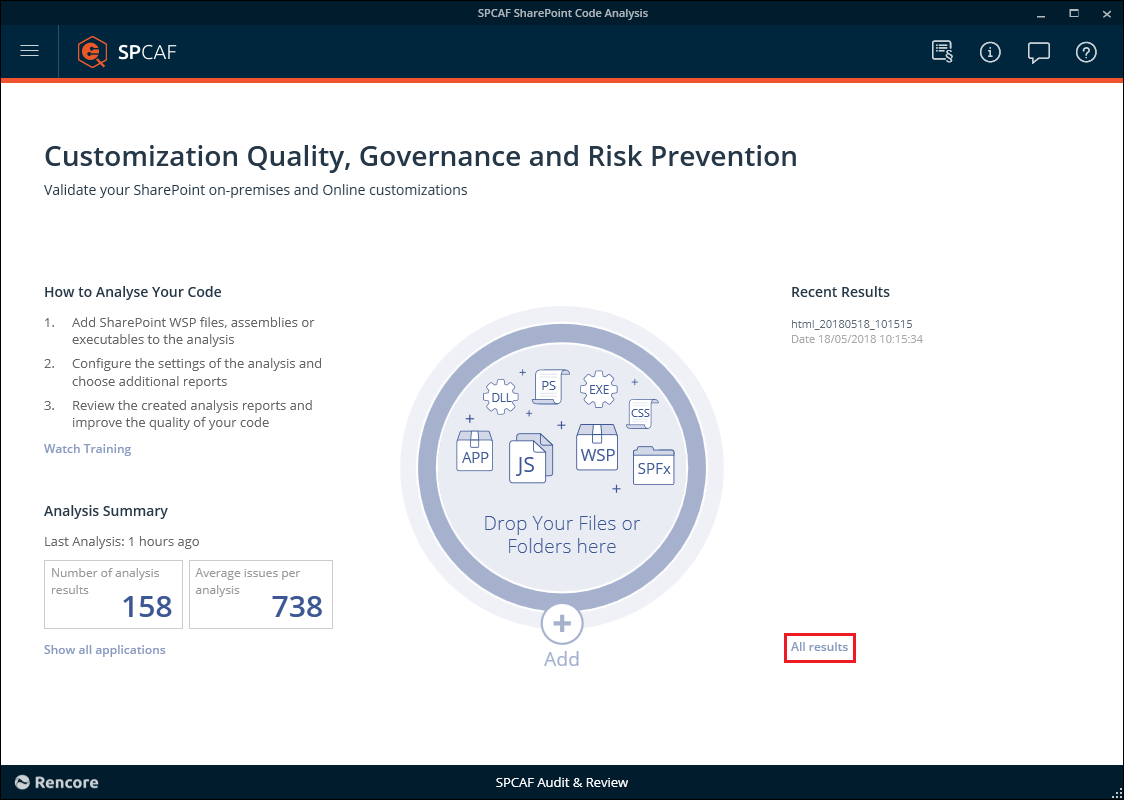
Click on “All Results”.
-
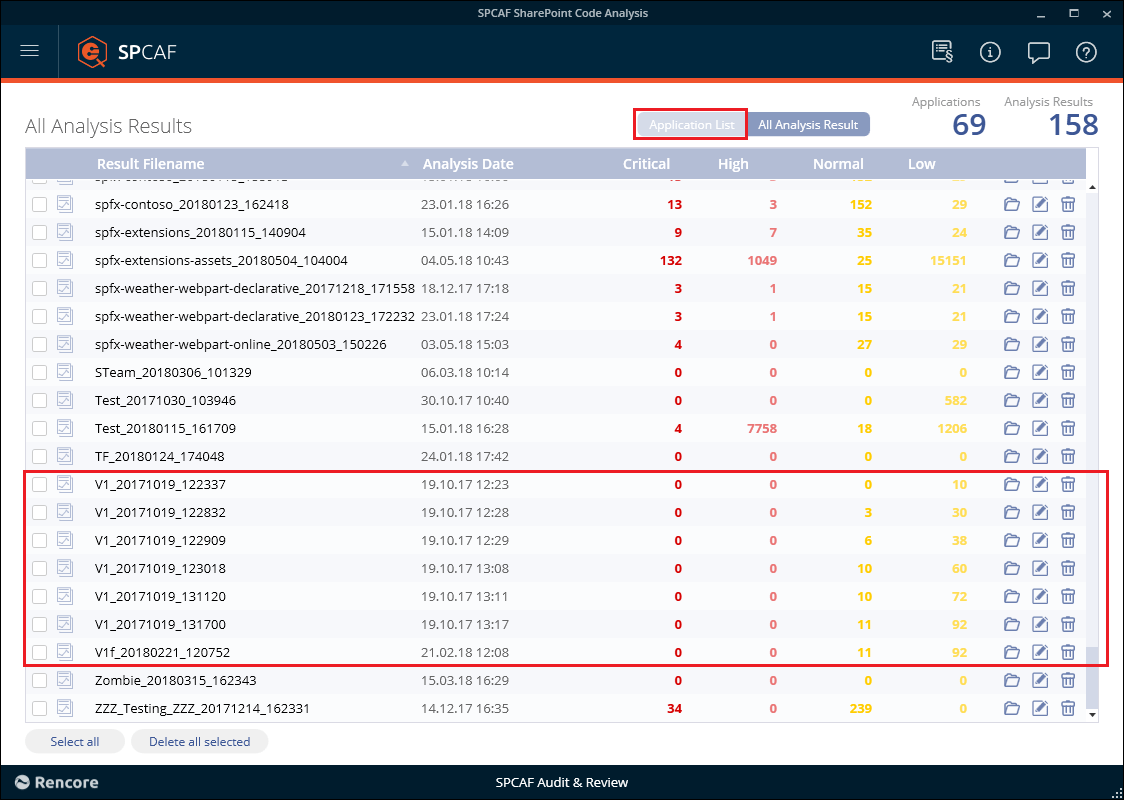
You will see a list of all the analyses performed. Click on the “Application List” tab.
-
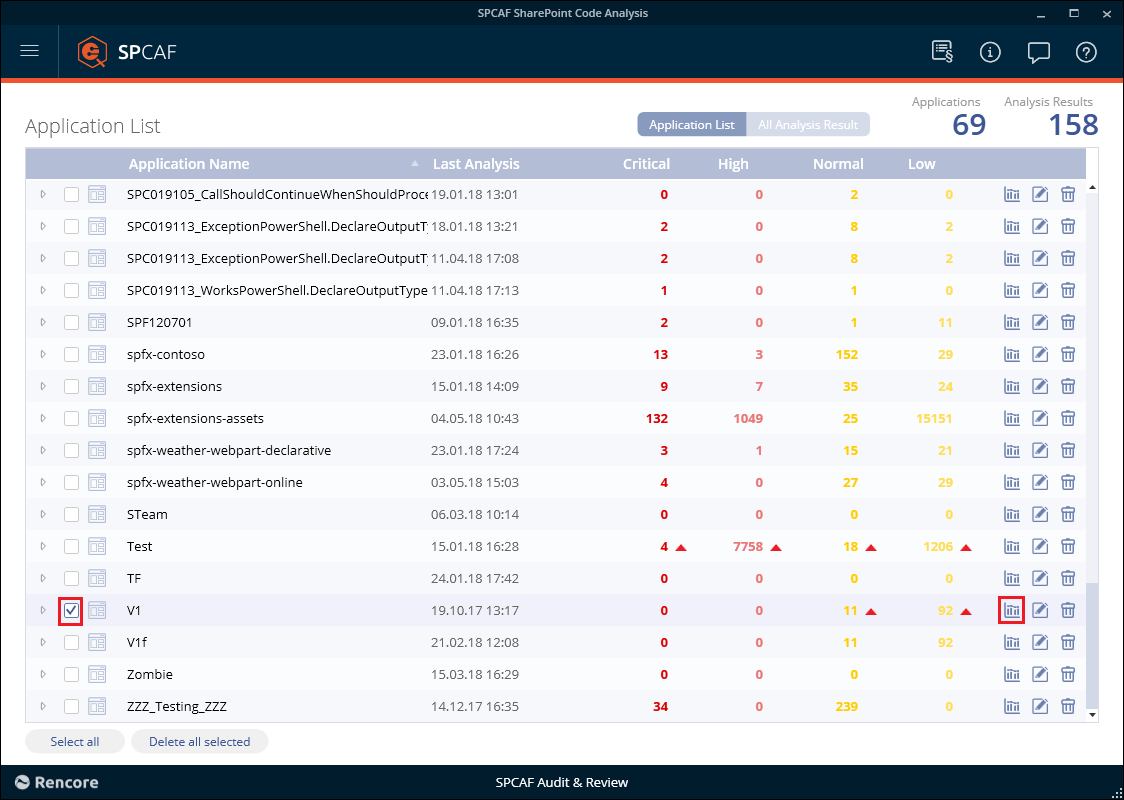
Tag the application you want to compare the analyzed results and click the “Application Summary Report” icon.
-
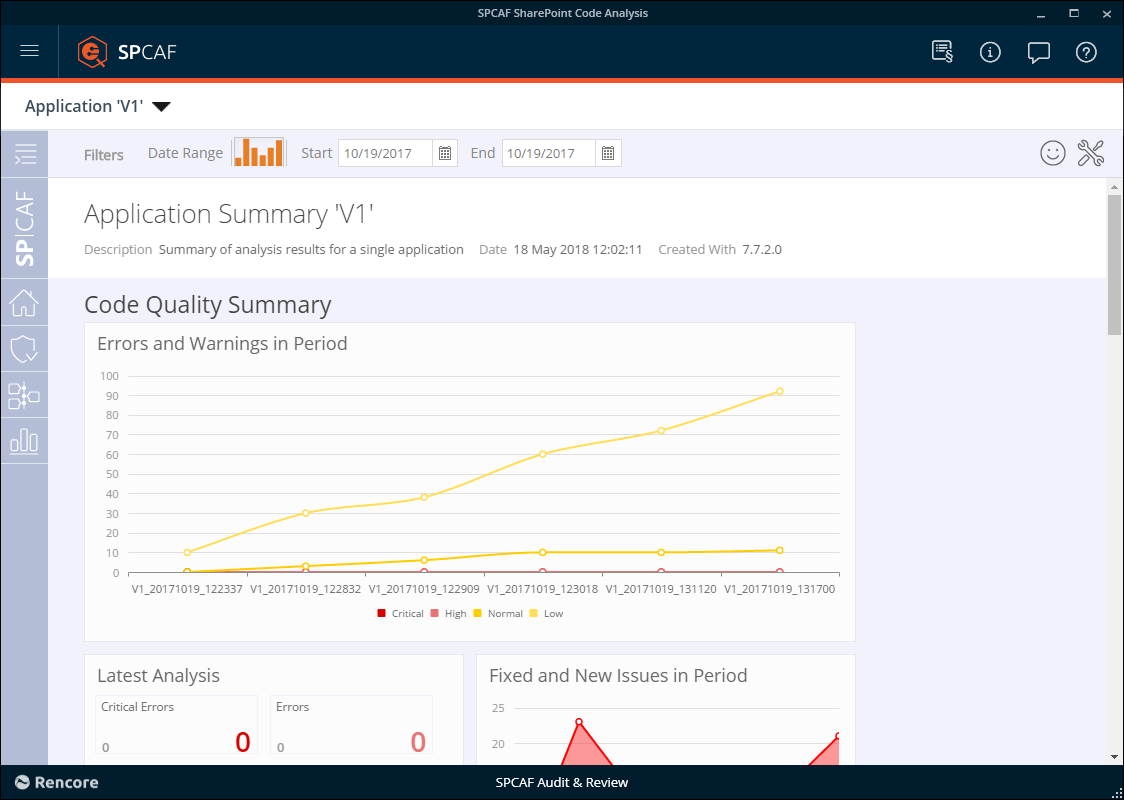
SPCAF will now collate the information from the results and produce a summary of the changes to the results of the application.
-